
Emirates Manage Your Booking lets you view your itinerary, change eligible flights, select seats, add baggage, update contact details, request meals and check in online.
To access a reservation, enter your booking reference and last name on the Emirates Manage Your Booking page.
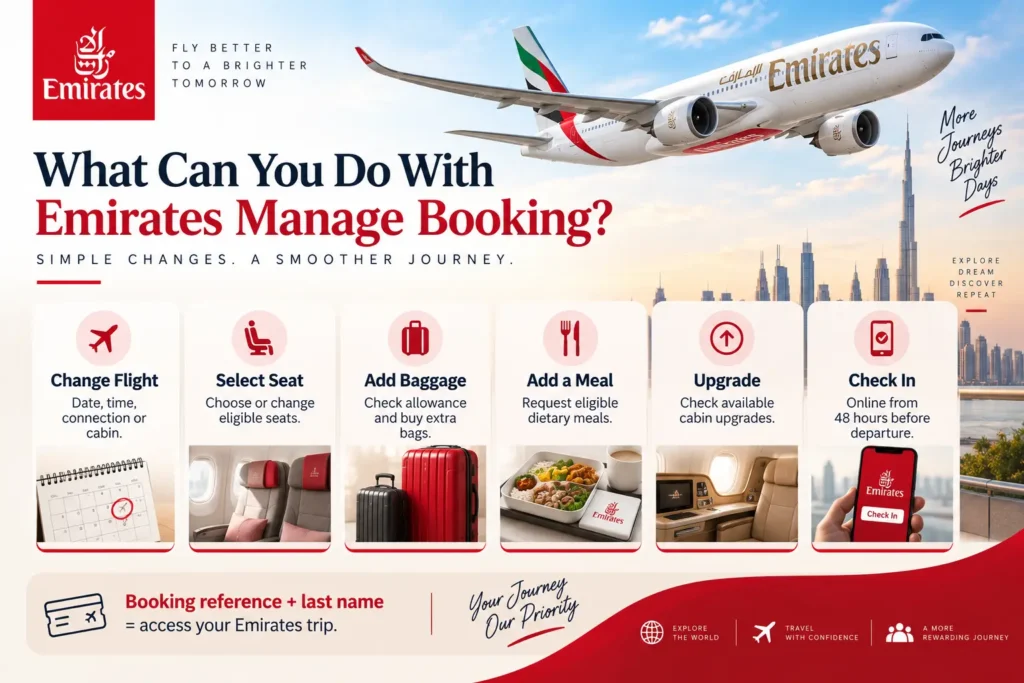
What Can You Do With Emirates Manage Booking?
| Manage Booking option | What you can do |
|---|---|
| View itinerary | Check, print or email flight details |
| Change flight | Modify eligible dates, times, connections or cabin |
| Select seats | Choose or change eligible seats |
| Add baggage | Check allowance and purchase additional baggage |
| Add meals | Request eligible dietary meals |
| Update details | Change email address and phone number |
| Upgrade | View eligible cabin upgrade options |
| Skywards | Add your membership number or use eligible Miles |
| Check in | Check in online from 48 hours before departure |
Emirates also allows eligible travelers to add services such as Chauffeur-drive, hotels and car rentals.
How to Manage an Emirates Booking Online
- Open Emirates Manage Your Booking.
- Enter your last name and booking reference.
- Retrieve your reservation.
- Select the flight or service you want to manage.
- Review any fees or fare difference.
- Confirm the change and save the updated itinerary.
If Change my booking does not appear, the reservation may not qualify for online changes. Contact Emirates if you booked directly, or the travel agency that issued the ticket.
How to Change an Emirates Flight
Eligible bookings can be changed online through Manage Your Booking.
Depending on your ticket, you may be able to change:
- Flight date
- Departure time
- Connecting flight
- Cabin class
- Flights within the itinerary
- Stopovers
Emirates displays applicable charges and the new fare before you confirm. If the new ticket costs more, you must pay the fare difference plus any change fee required by your fare conditions.
Partially used tickets may also be changed online when the fare conditions permit it.

Important for group bookings
Changes made online apply to all passengers in the reservation. If only one traveler needs a different flight, contact Emirates or the travel agency instead.
Can You Cancel an Emirates Booking?
Yes, but whether you receive a refund depends on the ticket’s fare conditions.
For direct bookings, you can cancel through Manage Your Booking and submit Emirates’ refund form. Some tickets are fully refundable, some have cancellation charges, and others may be nonrefundable.
Emirates currently states that eligible direct-booking refunds are processed in approximately 15 business days, although your bank may take additional time.
Paid extras such as a seat, extra legroom or an upgrade are not automatically refunded with the ticket. A separate refund request may be required.
If a travel agency issued the ticket, request the cancellation and refund through that agency.
How to Select a Seat
You can select or change an eligible seat through Manage Your Booking until check-in.
Current Emirates rules include:
| Cabin/fare | Advance seat selection |
|---|---|
| First Class | Free |
| Premium Economy | Free |
| Business Saver/Flex/Flex Plus | Free |
| Business Special | Free once check-in opens |
| Economy | Free or paid depending on fare and Skywards tier |
Economy seat types include Regular, Preferred, Twin and Extra Legroom seats. Fees depend on the fare, seat and membership status.
Do not assume every Economy seat becomes free at check-in; premium seat categories can have separate conditions.
How to Add Extra Baggage
Manage Your Booking shows the baggage allowance attached to your actual ticket.
Your allowance depends on:
- Route
- Cabin
- Fare type
- Emirates Skywards status
- Whether the journey uses the weight or piece system
Extra baggage can be purchased online on eligible Emirates tickets up to four hours before departure, and advance purchases can cost less than paying at the airport.
Because baggage charges vary considerably by route, avoid relying on a single universal Emirates excess-baggage fee.
Read Emirates Baggage Policy here.
Emirates Online Check-In
Online check-in opens 48 hours before departure and closes 90 minutes before departure for passengers with eligible eTickets.
You can:
- Check in on Emirates.com or the Emirates app
- Confirm eligible seat choices
- Add a dietary meal where available
- Save an eligible mobile boarding pass
For passengers departing Dubai, Emirates currently permits baggage drop up to 24 hours before departure, or 12 hours before flights to the United States.
Online check-in may not be available when the first flight in the itinerary is operated by another airline.
Can You Correct a Passenger Name?
Yes, Emirates permits genuine name corrections, but you cannot transfer the ticket to another passenger.
If you booked directly with Emirates and all flights are Emirates-operated, Emirates currently does not charge a name-correction fee for a misspelling. Partner-airline rules may create additional charges. Travel agencies may also charge their own service fees.
For a direct booking, contact Emirates at least two hours before departure for a spelling correction. Legal name changes may require supporting documents.
Name corrections are not a normal self-service Manage Booking function.
When Manage Booking Won’t Let You Make a Change
You may need assistance when:
- Only one person in a multi-passenger booking needs changing
- A travel agency issued your ticket
- Your fare does not permit online changes
- You need a passenger-name correction
- The itinerary contains certain partner flights
- You are managing some partner reward bookings
The company that issued the ticket is usually the correct first contact.
Need help with an Emirates reservation issued through Flying Getaway? Call us at +1 (646) 814-6001 with your booking reference and passenger name.
Bottom Line
For most reservations, Emirates Manage Your Booking is the fastest place to check your itinerary, change eligible flights, select seats, buy baggage, update contact details and check in.
Before confirming a change, check the final fare difference, change fee and refund conditions displayed for your specific ticket rather than relying on a generic Emirates fee.
FAQs
How do I access Emirates Manage Booking?
Go to Emirates Manage Your Booking and enter your last name and booking reference. You can then view your itinerary and access eligible changes, seats, meals, baggage, upgrades and other services.
Can I change my Emirates flight online?
Yes, if your ticket is eligible for online changes. You can change the flight date, departure time, connecting flight or cabin through Manage Your Booking. Emirates shows any fare difference or applicable charge before you confirm.
Can I manage only one passenger in an Emirates booking?
You can change seats, meals and some services for an individual passenger. However, an online flight change applies to everyone on the same booking. Contact Emirates or the issuing travel agency if only one passenger needs a different flight.
Can I add baggage through Emirates Manage Booking?
Yes. You can check your baggage allowance and buy eligible additional baggage through Manage Your Booking up to four hours before departure. Advance-purchase discounts vary by route and baggage system.
How early can I check in for an Emirates flight?
Emirates online check-in generally opens 48 hours before departure and closes 90 minutes before departure. Airport arrival requirements vary, so check the instructions for your departure airport.
Can I change the passenger name through Manage Booking?
A genuine spelling mistake can be corrected, but an Emirates ticket cannot be transferred to another person. Direct Emirates bookings containing only Emirates-operated flights currently have no Emirates name-correction fee. Direct-booking corrections should be requested at least two hours before departure.
Can I cancel an Emirates booking and get a refund?
Cancellation and refund eligibility depend on your fare conditions. If you booked directly with Emirates, eligible refunds can be requested through Emirates. Emirates currently says refunds are processed in approximately 15 business days, although bank processing can take longer. Agency-issued tickets should be handled by the issuing agency.
Sources

Patrick Walker is the travel brain behind Flying Getaway. With a knack for spotting flight deals and a passion for exploring new skies, he helps travelers fly smarter and save more with every trip.