Editorial note: KLM booking options depend on the route, operating airline, fare and ticket issuer. Check the conditions displayed in My Trip before confirming a change or cancellation.
Quick Answer: How Do I Manage a KLM Booking?
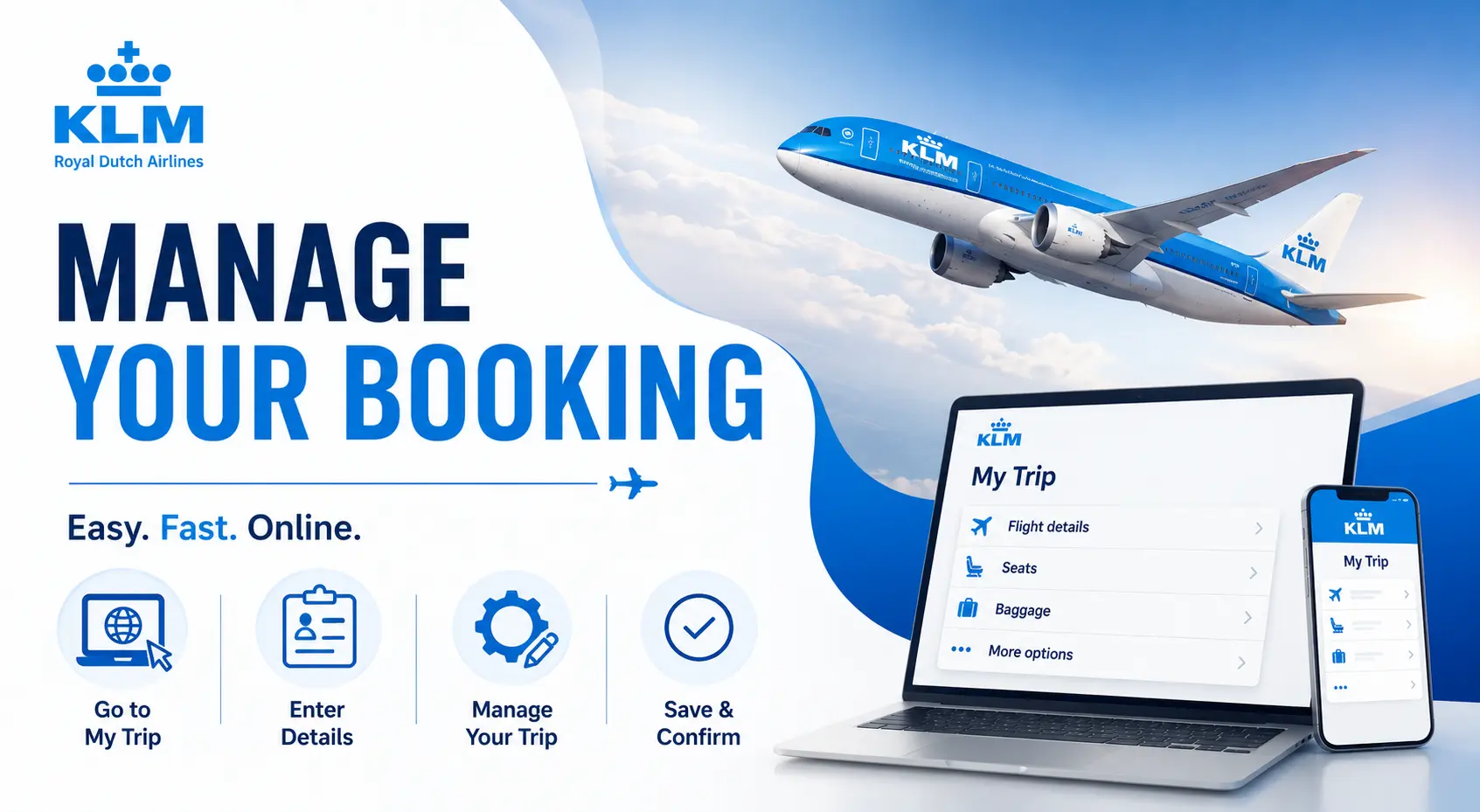
Open KLM My Trip and enter the passenger’s last name and booking code. You can use KLM Manage Booking to:
- View your itinerary
- Change an eligible flight
- Cancel all or part of a trip
- Select or change seats
- Add checked baggage
- Purchase meals and other extras
- Upgrade to Premium Comfort or Business Class
- Check in and access your boarding pass
Some services require assistance when the ticket was issued by a travel agency, involves a partner airline or is part of a group reservation.
What Can You Do Through KLM My Trip?
| Booking service | Usually available online? |
|---|---|
| View itinerary | Yes |
| Change travel date or time | Eligible tickets |
| Change destination | Eligible tickets |
| Cancel a flight | Eligible tickets |
| Cancel one passenger from a booking | Usually |
| Select or change a seat | Yes |
| Add checked baggage | Yes |
| Add meals or other extras | Yes |
| Upgrade the cabin | When offered |
| Correct a passenger name | Requires assistance |
| Transfer a ticket to someone else | No |
| Manage a travel-agent ticket | May require the issuing agency |
KLM allows eligible changes through My Trip, including flight modifications, cancellations, upgrades and extra services.
How to Access KLM Manage Booking
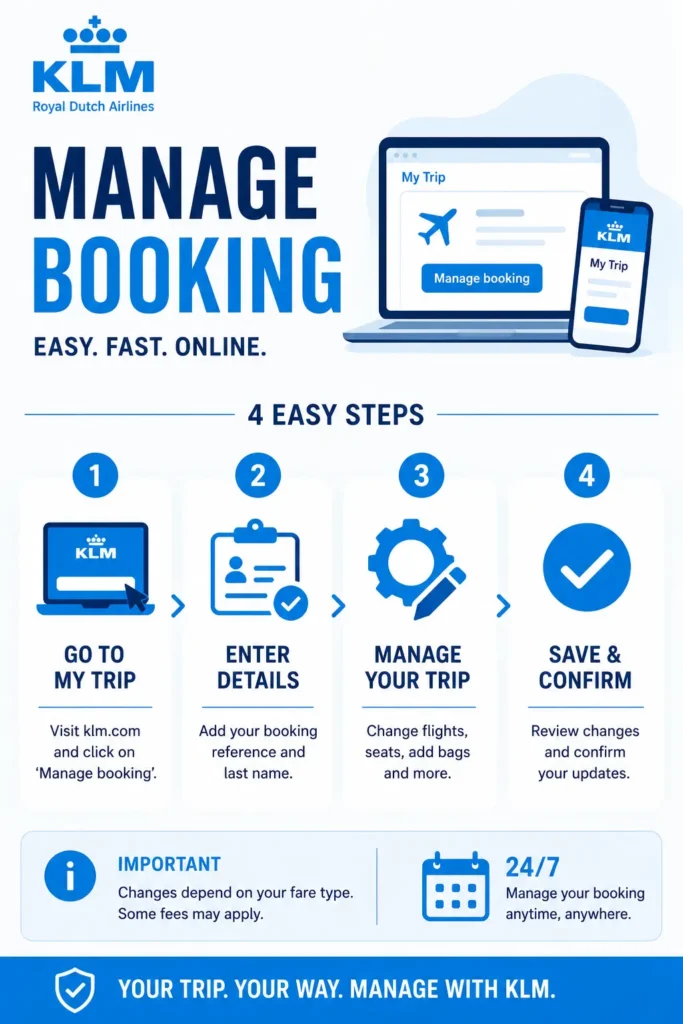
- Open KLM My Trip.
- Enter the passenger’s last name.
- Enter the booking code from the confirmation email.
- Select the reservation.
- Choose the service you need.
- Review any fee, fare difference or refund amount.
- Confirm the request.
- Save the updated confirmation.
The booking code is normally included in the confirmation email. Travelers signed into Flying Blue also find linked reservations in their account.
How to Change a KLM Flight?
KLM may allow you to change:
- Travel date
- Departure time
- Destination
- One or more passengers within a booking
The available options depend on the fare conditions. When the new ticket costs more, you must pay the fare difference. KLM also states that travelers who have already checked in must cancel check-in before changing the flight.
KLM Flight-Change Rules by Fare
| Fare type | General change rule |
|---|---|
| Basic | Often non-changeable |
| Light | Restricted or non-changeable on some routes |
| Standard | Change fee and fare difference may apply |
| Flex | No standard change fee; fare difference may apply |
| Premium Comfort | Depends on Light, Standard or Flex conditions |
| Business Class | Depends on the purchased fare conditions |
KLM’s exact rules differ by route. For example, a Standard Economy change currently carries a published fee on many European and intercontinental journeys, while Flex normally removes the change fee but not a higher fare difference. Always use the conditions shown for your ticket in My Trip.
For a full breakdown, link KLM Flight Change Policy here.
What Happens to Seats, Meals and Other Extras?
KLM normally attempts to transfer reserved extras to the replacement flight. You may have to pay more if the same option costs more on the new flight. When the replacement option costs less, KLM may issue the remaining value as a voucher.
How to Cancel a KLM Flight?
If the ticket was purchased through KLM, Air France or Delta, you can generally request cancellation through My Trip.
You may be able to:
- Cancel the full trip
- Cancel only one flight segment
- Cancel one passenger from a multi-passenger booking
- Request a refund for eligible extras
The amount returned depends on the route, cabin, fare type and whether any part of the ticket has been used.
Will KLM Give You a Refund?
| Ticket situation | Possible outcome |
|---|---|
| Flex fare | Cash refund may be available |
| Standard or Light fare | Often non-refundable; unused taxes may be refundable |
| Partially used ticket | Refund depends on the unused value and fare rules |
| KLM cancels the flight | Rebooking or eligible refund |
| Significant disruption | Refund, rebooking or compensation may apply |
| Flying Blue award ticket | Contact Flying Blue |
| Travel-agency booking | Contact the original agency |
Do not assume that cancelling online guarantees a cash refund. My Trip shows the refund or voucher available before you confirm.
For detailed eligibility, link KLM Cancellation and Refund Policy here.
What If KLM Cancels Your Flight?
KLM usually rebooks passengers automatically when it cancels a flight. You can review the replacement in My Trip and select another available option when permitted.
Depending on the disruption and applicable passenger-protection rules, you may also qualify for:
- A ticket refund
- Alternative transportation
- Reimbursement of eligible expenses
- Compensation
Eligibility depends on the cause of the disruption, itinerary and applicable law.
How to Add Baggage Through KLM Manage Booking?
Open My Trip and check the allowance attached to your fare before buying additional baggage.
Current KLM Checked-Baggage Allowance
| Cabin and fare | Standard checked baggage |
|---|---|
| Economy Basic | None included |
| Economy Light | None included |
| Economy Standard or Flex | 1 bag up to 23 kg |
| Premium Comfort Light | None included |
| Premium Comfort Standard or Flex | 2 bags up to 23 kg each |
| Business Light | 1 bag up to 32 kg |
| Business Standard or Flex | 2 bags up to 32 kg each |
Each standard checked bag may measure up to 158 cm when length, width and height are added. Actual allowances can vary by route, so use My Trip as the final source for your reservation.
Purchasing an extra bag online is often cheaper than adding it at the airport.
For dimensions, excess charges and restricted items, link KLM Baggage Policy here.
KLM Hand-Baggage Rules
Economy Light, Standard and Flex generally include:
- One small bag up to 40 × 30 × 15 cm
- One hand-baggage item up to 55 × 35 × 25 cm
- Maximum combined weight of 12 kg
A KLM Economy Basic ticket may include only the small under-seat bag; an overhead-bin bag can be purchased separately where offered. Premium Comfort and Business Class have higher piece allowances, although departures from the United States are limited to one hand-baggage item and one small bag.
How to Select or Change a KLM Seat
Seats can be selected during booking, through My Trip or during check-in, subject to availability.
KLM seat options include:
- Regular Economy seat
- Front-section seat
- Economy Comfort seat
- Extra-legroom seat
- Seat in a row of two
- My Extra Space
- Premium Comfort seat
- Business Class seat
Regular and extra-comfortable Economy seats may require payment. Complimentary selection can become available earlier for certain fares and eligible Flying Blue members.
Are Paid Seat Fees Refundable?
KLM may refund a paid seat when:
- KLM cancels the flight
- You are involuntarily moved to a different type of seat
- The purchased seat cannot be provided
- You request a qualifying refund within the permitted period
A voluntary seat change does not always qualify for a refund.
How to Upgrade a KLM Booking
When an upgrade is available, My Trip may show an offer for:
- Premium Comfort
- Business Class
Upgrades may also be offered during check-in or at an airport self-service kiosk. Availability and price depend on the flight, cabin inventory and original ticket.
Check what happens to your baggage, seat and fare conditions before accepting. A cabin upgrade does not always make the underlying ticket refundable or flexible.
How to Correct a Name on a KLM Booking
A ticket cannot be transferred to another traveler, but KLM can correct eligible typing errors for the original passenger.
For tickets purchased through KLM and flights operated by KLM, Air France or Delta, contact KLM to request the correction. If a partner airline operates part of the itinerary, submit the request at least 72 hours before departure.
You normally do not need a correction when:
- Only the first of several given names appears
- Your maiden name matches the passport’s machine-readable zone
- The booking system removes spaces from your name
KLM currently states that corrections requested in advance are free. An airport correction may carry a fee. Agency-issued tickets must be handled through the original agency.
How to Check In for a KLM Flight
KLM online check-in generally opens:
- 30 hours before departure for most flights
- 24 hours before departure for flights to or from the United States
After check-in, you can download or receive a digital boarding pass.
During check-in, you may be able to:
- Confirm passenger details
- Select an available seat
- Add baggage
- Review travel documents
- Download a boarding pass
How to Check KLM Flight Status
Use the KLM website or app and search by:
- Flight number
- Route
- Travel date
Add your current email address and phone number to the reservation so KLM can send updates about schedule changes, delays, gate information and rebooking.
When My Trip Cannot Manage the Booking
Contact KLM or the ticket issuer when:
- The ticket was booked through a travel agency
- A name correction is needed
- The trip includes a partner airline
- A Flying Blue award ticket must be changed or cancelled
- The booking contains ten or more passengers
- Travel has already started
- Online check-in must be cancelled
- My Trip does not display the required option
Travel-agency bookings should generally be serviced by the agency that issued the ticket.
If Flying Getaway issued your reservation, call +1 (646) 814-6001 before changing it elsewhere.
Common KLM Manage Booking Problems
| Problem | Recommended action |
|---|---|
| Booking is not appearing | Check the last name and booking code |
| Change option is missing | Review fare restrictions |
| Already checked in | Cancel check-in before changing the flight |
| Agency-issued ticket | Contact the issuing agency |
| Partner-airline itinerary | Check which airline operates the flight |
| Name is incorrect | Request a correction; do not create another booking |
| Baggage allowance looks wrong | Review the fare and operating airline |
| Refund amount is lower than expected | Check the fare rules and used ticket value |
| Group booking | Contact KLM for ten or more passengers |
Final Thoughts
Use KLM Manage Booking to review and service an existing reservation without calling customer support.
In My Trip, eligible passengers can:
- Change or cancel flights
- Select seats
- Add baggage
- Purchase extras
- Upgrade cabins
- Check in
- Review flight information
Your available options depend on the fare, route, operating airline and ticket issuer. Review the final fee, fare difference or refund amount before confirming.
Need help with a KLM ticket issued through Flying Getaway? Call +1 (646) 814-6001.
Frequently Asked Questions
How do I manage my KLM booking?
Open KLM My Trip and enter the passenger’s last name and booking code. You can review the itinerary, add baggage, select seats, check in and modify eligible flights.
Can I change my KLM flight online?
Yes, when your ticket conditions allow changes. You may need to pay a change fee and any difference between the original and new fare.
Can I cancel a KLM flight through My Trip?
Yes. Eligible KLM, Air France and Delta bookings can be cancelled through My Trip. The refund depends on the route, class and fare type.
Can I add baggage after booking?
Yes. Open My Trip to view your allowance and purchase additional baggage. Buying extra baggage online is often cheaper than paying at the airport.
Can I select a KLM seat after booking?
Yes. You can select an available seat in My Trip. The price depends on the seat, fare and Flying Blue status.
Can I correct a name in KLM Manage Booking?
Name corrections require assistance and cannot be completed as a normal self-service change. Contact KLM or the travel agency that issued the ticket.
When does KLM online check-in open?
Online check-in opens 30 hours before most flights and 24 hours before flights to or from the United States.
Sources

Patrick Walker is the travel brain behind Flying Getaway. With a knack for spotting flight deals and a passion for exploring new skies, he helps travelers fly smarter and save more with every trip.